
A new feature is rolling out to Microsoft Teams which brings the threaded conversation layout we are familiar with from group chats to Teams channels.
Microsoft have made comprehensive documentation available from the Adoption site, so I’d recommend you read those from the links below. But here are the key points you need to know today.
Here’s a visual comparison of the two layouts side by side. On the left the new Threads view and on the right the current Posts view. Things to note:
- The messages tab is named Posts when using the posts view and Conversation when using the threads view
- In this comparison in Posts view I have newest messages at the top, whilst threads view, shows the newest thread at the bottom of the list in the Conversations tab.

Create a new thread by typing a new message

The reply to a thread button show up on the message mini toolbar when you hover over or right click on a message.
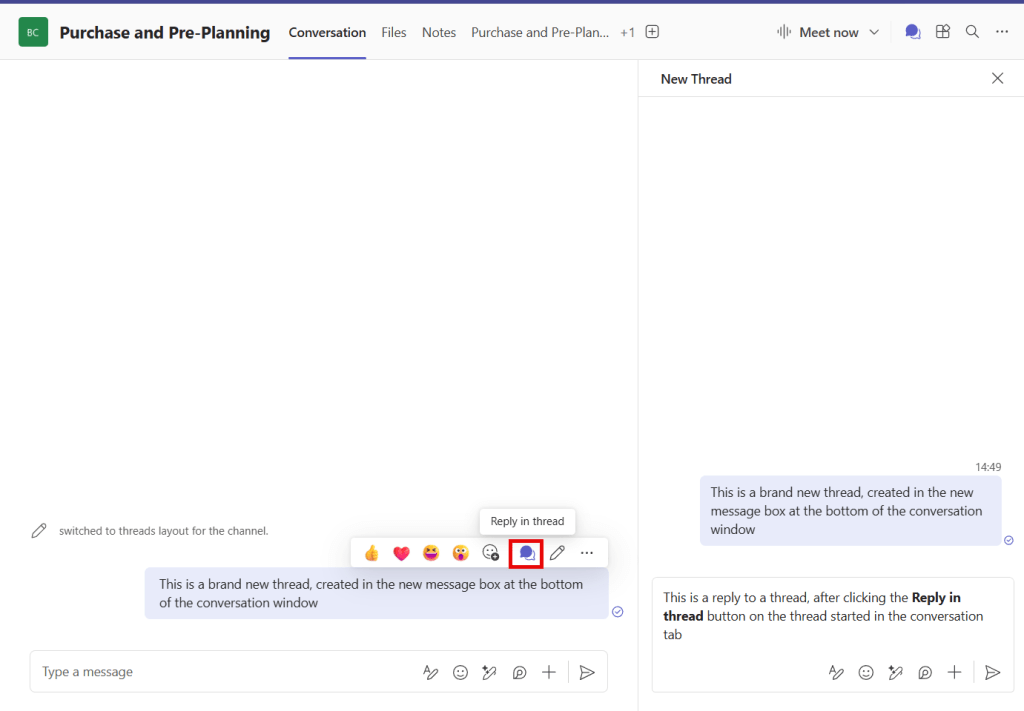
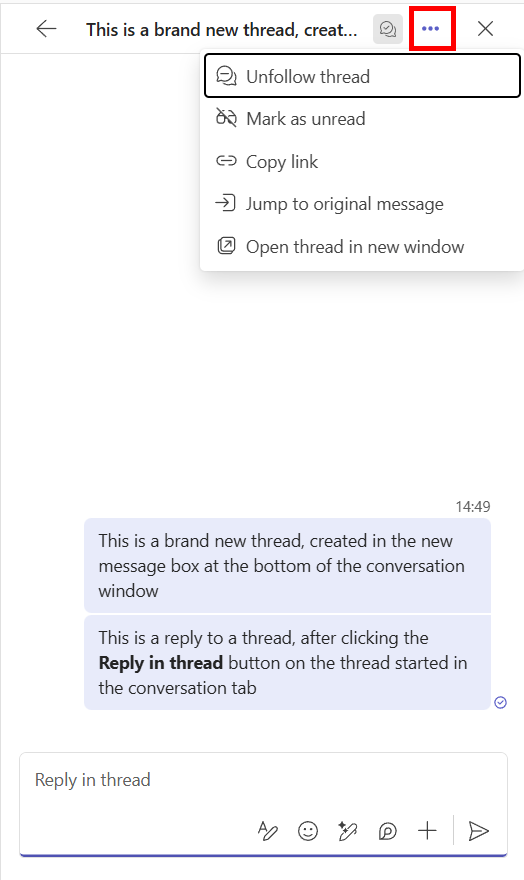
When you reply to a thread you are automatically following it. Whilst viewing a single thread in the side pane you can use the … menu to unfollow the thread, amoungst other actions.
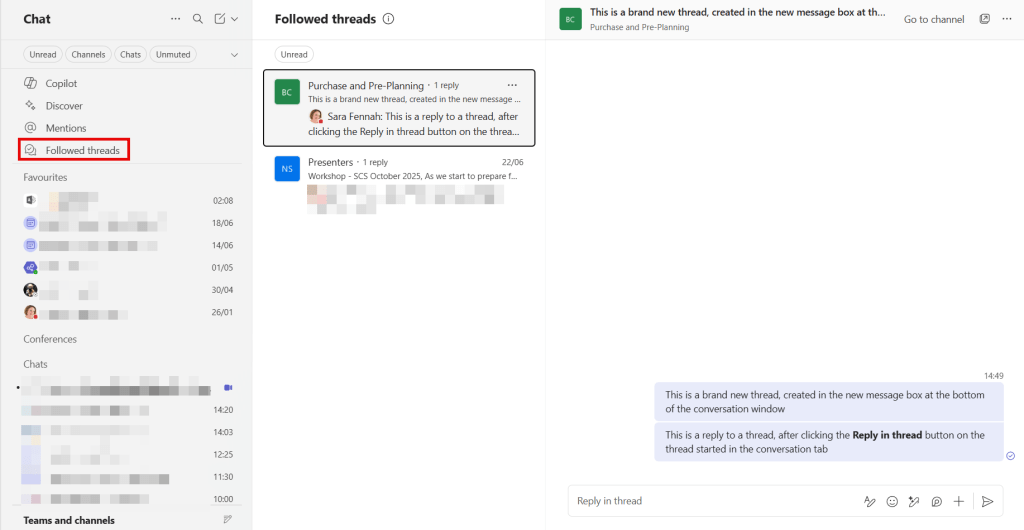
Followed threads can also be seen in your quick links at the top of the combined Chat & Channels list.
You can see all threads in the channel using the Open threads button.
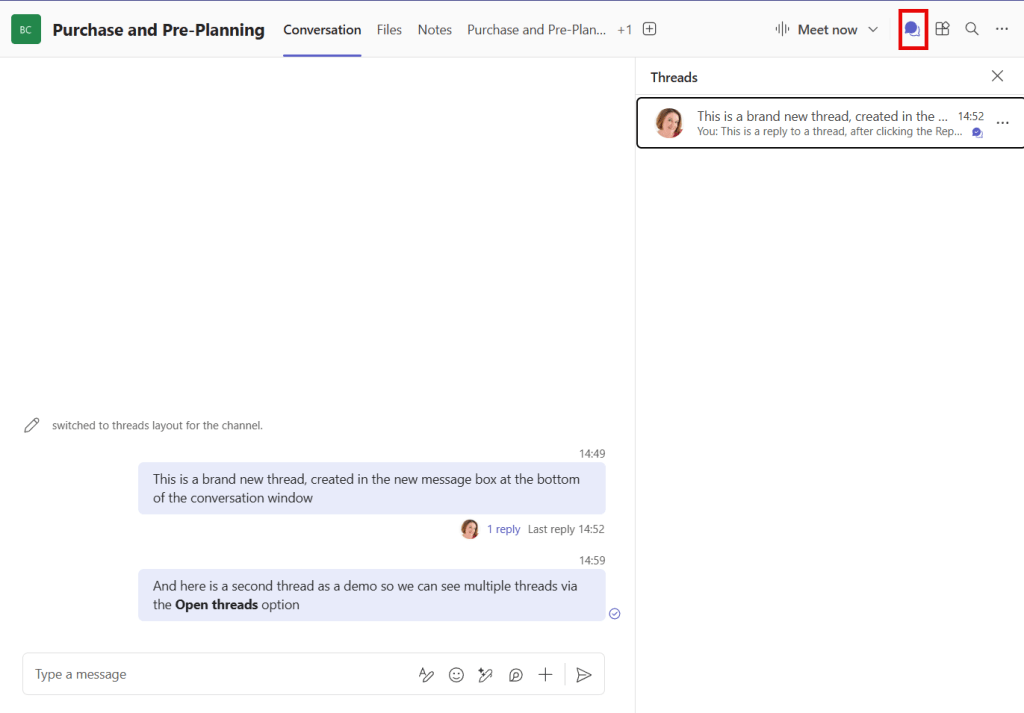
A thread is defined as a message which has at least one reply, so though, in the image above, you see what might be regarded as 2 threads, but the second message doesn’t have a reply on, so it not considered a thread.
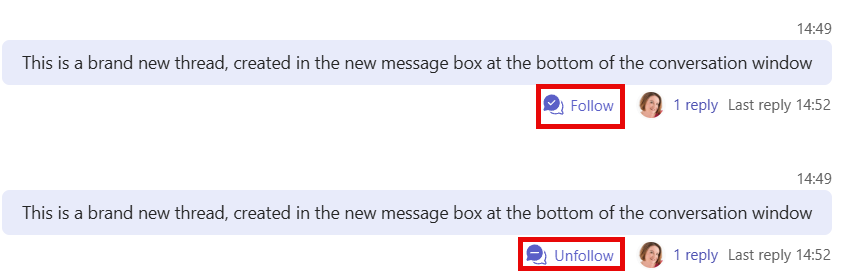
You can also choose to follow/unfollow a thread, without opening the full thread
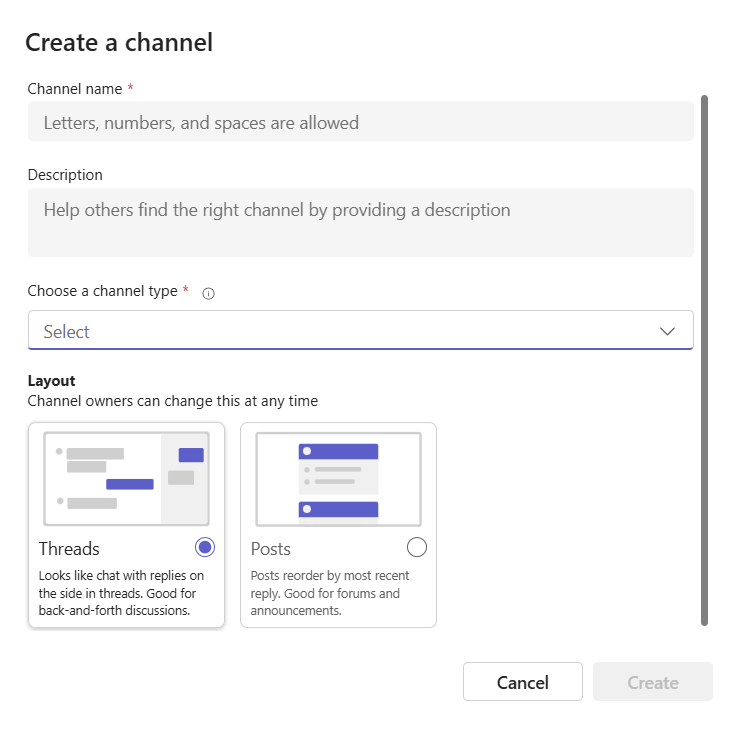
You can enable this new view when creating a channel or changing the settings of an exisitng channel.
When adding a new channel select the desired layout as you create the channel.
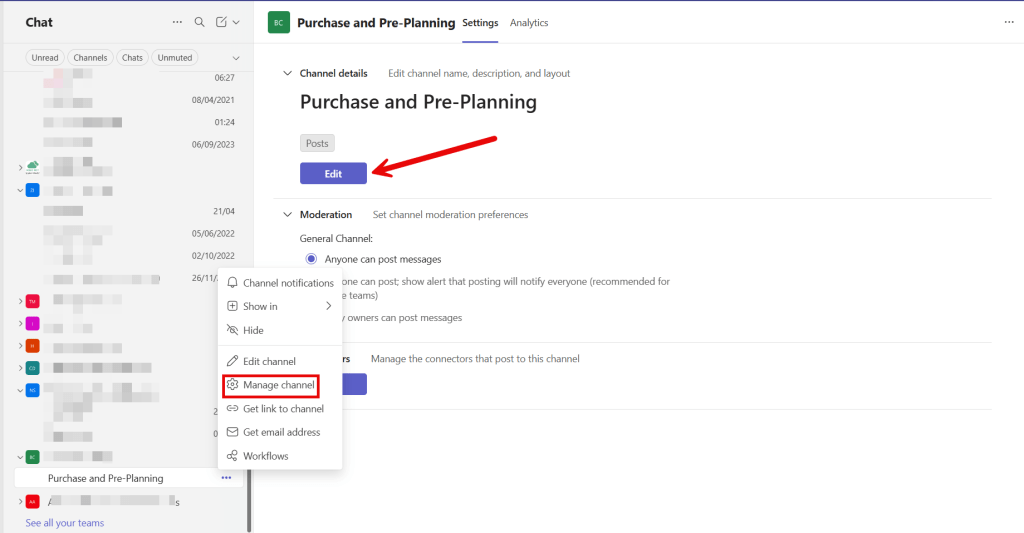
To change the view of an existing channel, navigate to Manage channel for the individual channel and click Edit button.
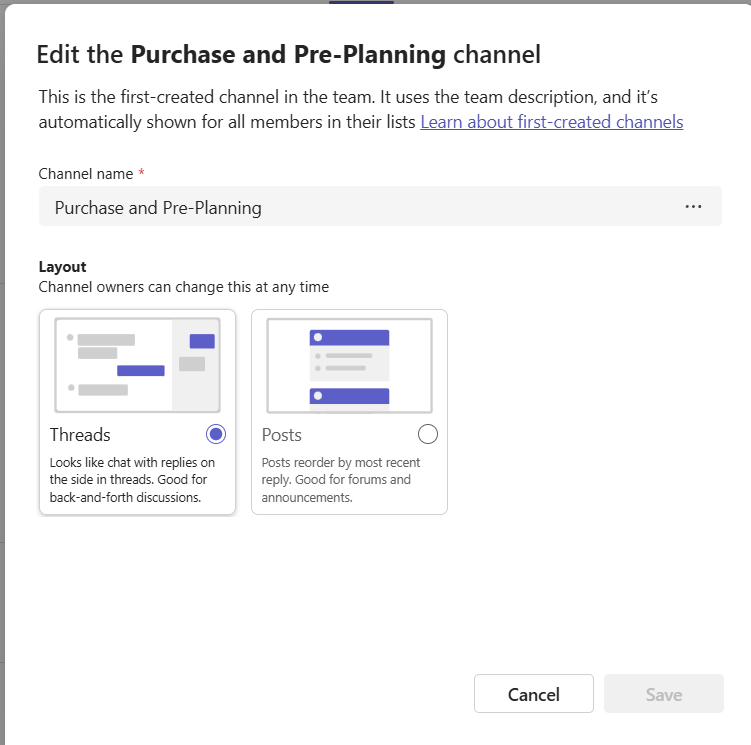
Then choose the required layout and Save
The Post/Threads view applies to all members of the channel. If some channel members are not able to view threads view there are issues with message ordering, so the recommendation would be to return to posts view until all have the updated exerpeince.
You can find out more on the Microsoft Adoption site, which includes three documents
 The Teams Queen Blog
One thought on “Threads in Channels”