

The updated menu and account switcher updated functionality has landed in my Teams client as at 7th April 2021 (at least when its set to preview build) and I wanted to share a few observations with you. First up, note the message highlighting the changes The … Menu has settings in it and nice littleContinue reading “Some Observations on the Updated Account Switcher and Menu”
Category Archives: Admin
Get Started with Teams PowerShell

PowerShell is very powerful (no pun intended) but if you don’t know what you are doing it can be dangerous, making big changes to your environment without prompting for confirmation. If you run ANY PowerShell scripts against your Office 365 tenant you alone are fully responsible for the actions undertaken, so please ensure you areContinue reading “Get Started with Teams PowerShell”
Capturing Screen Shots from a Teams Phone
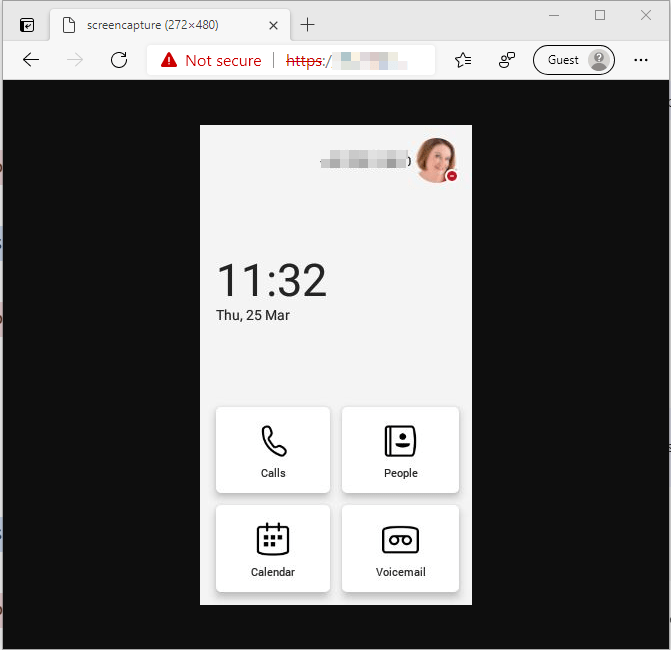
It is possible to capture screen images from a Teams phone using a web browser page. Please note you do need the phone admin login to use this. Firstly you need to ensure that the device configuration permits screen capture. To create and assign a device configuration profile, go to the Teams Admin Center andContinue reading “Capturing Screen Shots from a Teams Phone”
Transcription Meeting Policy Settings
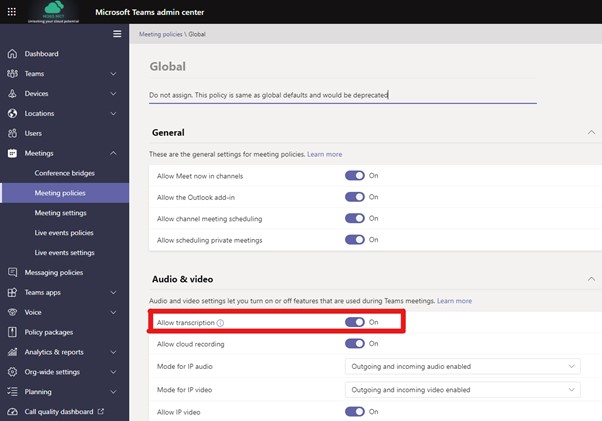
This article follows the articles for end users and super users in relation meeting transcription. Transcription is available to all users with Microsoft 365 E3, Microsoft 365 E5, Microsoft 365 Business Standard, and Microsoft 365 Business Premium SKUs. Transcription is off by default in the Global Meeting Policy and so your users will not seeContinue reading “Transcription Meeting Policy Settings”
External and Guest Communication in MS Teams
Originally posted on External & Guest Communication in MS Teams – Sara Fennah’s Blog (m365train.co.uk) June 2020 As more and more of our working life is conducted virtually and we communicate more using Microsoft Teams with internal and external people, it can be a challenge to determine which features we can use with whom. AsContinue reading “External and Guest Communication in MS Teams”
Where is my meeting recording?
With Teams meeting recordings moving to OneDrive and SharePoint from Stream users and admins need to understand what this change means. It’s not just the location a recording is stored that is changing but also who can records and the sharing options once the recording is done.
 The Teams Queen Blog