
Apart from creating my own backgrounds in PowerPoint which I covered in an earlier post, these are my personal favourite sources for background images for virtual meetings. Create your own Teams backdrop using PowerPoint – The Teams Queen Blog Ikea https://backgroundsbyikea.com/ Microsoft https://adoption.microsoft.com/microsoft-teams/custom-backgrounds-gallery/ https://techcommunity.microsoft.com/t5/outlook-blog/online-meeting-backgrounds-outlook-exchange-amp-bookings/ba-p/1688841 https://education.microsoft.com/en-us/resource/6eb1ef79 Warner Bros https://www.warnerbros.com/news/articles/2020/07/08/virtual-backgrounds-microsoft-teams-calls
Category Archives: End User
Delegated Team Meeting Creation
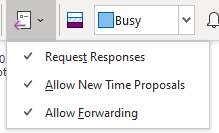
Lots of people don’t create the meeting invites for the meetings they run in this blog I will lay out what the issues are and then consider ways to avoid these when acting as a scheduler.
Manage Teams Meeting Options
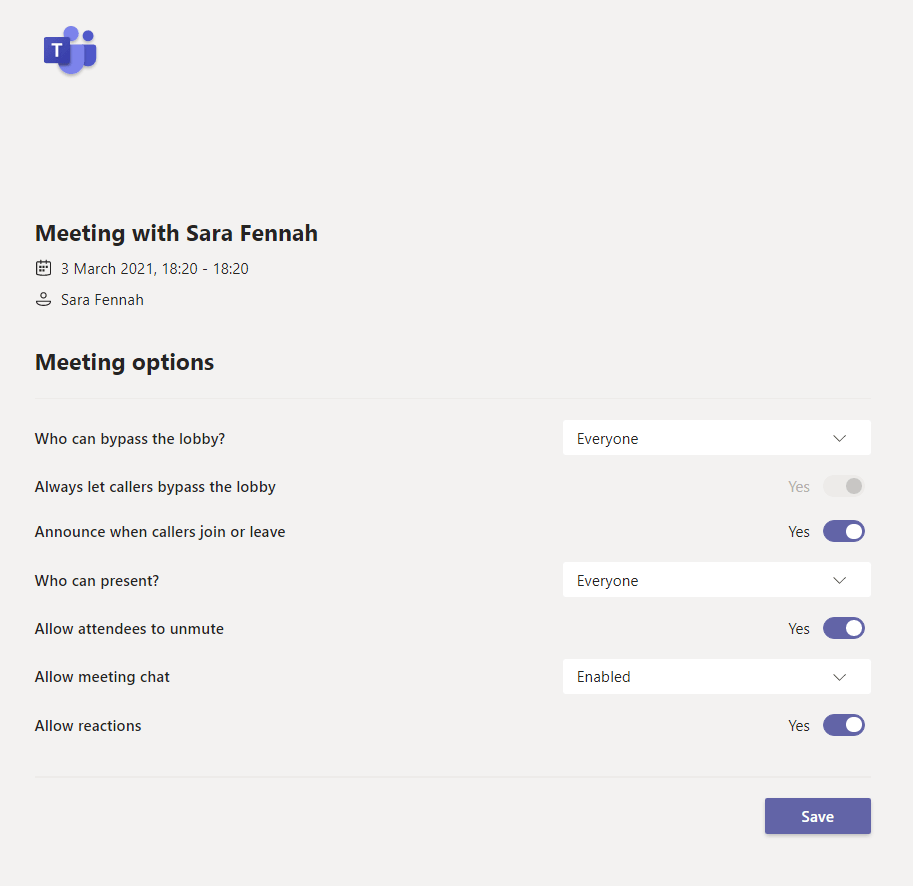
Teams meeting options are how you can control who can do what in your meeting. In the Education sphere this control is essential but they are also very useful in many other scenarios.
Create your own Teams backdrop using PowerPoint
You probably already know that you can add your own pictures into Microsoft Teams to use as a background. But just in case you didn’t, here’s how (only works on desktop, not bowser or mobile apps) Save your picture somewhere sensible. (I created a folder in my OneDrive called TeamsBackgrounds, so if I move toContinue reading “Create your own Teams backdrop using PowerPoint”
Make Fun of Virtual Meeting Fatigue
Are you sick of virtual meetings and training courses yet? To be honest, I’m not. However I have been looking for ways to ring some changes. It does get dull, always hearing (and saying) the same old phrases, so I’ve made myself some flashcards. And I gift them to you here – enjoy!
Solving Problems with Meeting Options in Teams
Do you ever get a message telling you you can’t change the meeting options for a meeting you set up? It’s probably due to what you were doing the last time you used the Teams web app (aka Teams in your web browser). These messages changed a little while ago to show you who isContinue reading “Solving Problems with Meeting Options in Teams”
Check your Camera before a Teams Meeting
Did you want to check your camera and background before a Teams meeting and ended up trying to join a meeting early to do so, or worse joining a meeting late as you needed to adjust your settings and it took too long, or worst still what about joining a meeting and bringing up aContinue reading “Check your Camera before a Teams Meeting”
Where is my meeting recording?
With Teams meeting recordings moving to OneDrive and SharePoint from Stream users and admins need to understand what this change means. It’s not just the location a recording is stored that is changing but also who can records and the sharing options once the recording is done.
Microsoft Teams Break Out Rooms – Some Early Observations
With the launch of breakout rooms for adhoc and scheduled Team meetings, many people are celebrating and it is a much requested feature, but how does it work.
Microsoft have released a couple of great articles so I’m not going to reinvent the wheel and write a full guide myself, but I would like to share my early observations.
Star Wars Day – Record a Meeting in Microsoft Teams
A star wars themed video demo about meeting recordings in Microsoft Teams
 The Teams Queen Blog