
Do you or your organisation deliver training via Teams? Do you record those sessions? Does the trainer (or meeting organiser) have Microsoft 365 Copilot license? If you answered ‘yes’ to these questions then this idea is for you! Learning is most effective when we are exposed to new information is in different ways, via differentContinue reading “Custom Meeting Recap for Training”
Tag Archives: Teams Meetings
File Sharing in Microsoft Teams Chats including External People
Have you ever tried to send a file to someone outside your organisation in a Teams chat, only to realise you couldn’t attach it directly? Good news: that’s changing! (If your admin enables it) A long time source of confusion in Microsoft Teams has been the fact that “attaching” a file in a chat withContinue reading “File Sharing in Microsoft Teams Chats including External People”
Joining a Teams Meeting with a Guest Account
With New Teams multi-tenant, multi-account support Teams gained the ability to switch to the correct account automatically when joining a meeting. For those of us who use mutliple accounts and attend meetings in partner organisation tenants, this support is invaluable. However, there has been a change and whilst the main sign in account is stillContinue reading “Joining a Teams Meeting with a Guest Account”
Bcc Meeting Invites
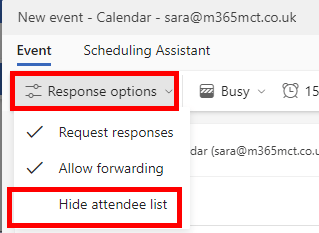
Do you need to send meeting invites without disclosing the distribution list? In email we can use the Bcc field to send emails to lots of people whilst keeping their email addresses confidential, and whilst that feature is not available in meeting invites, there is an option which achieves the same result. The required optionContinue reading “Bcc Meeting Invites”
Teams Premium Meeting Protection
Microsoft Teams Premium is an add-on to Microsoft 365 and brings additional features. In this blog series we’ll explore each of the 5 categories of features: I’ve also written an overview of Teams Premium and who needs it and a first steps guide for the public preview or all my Teams Premium articles on oneContinue reading “Teams Premium Meeting Protection”
Meeting Templates
Meeting templates will help users create meetings with the correct settings in meeting options as the template applies those setting automatically. The meeting templates also help with governance as they enforce the meeting options set in the template. Templated meetings published to the user show up on the New Meeting button in the Teams client,Continue reading “Meeting Templates”
Custom Video Filters
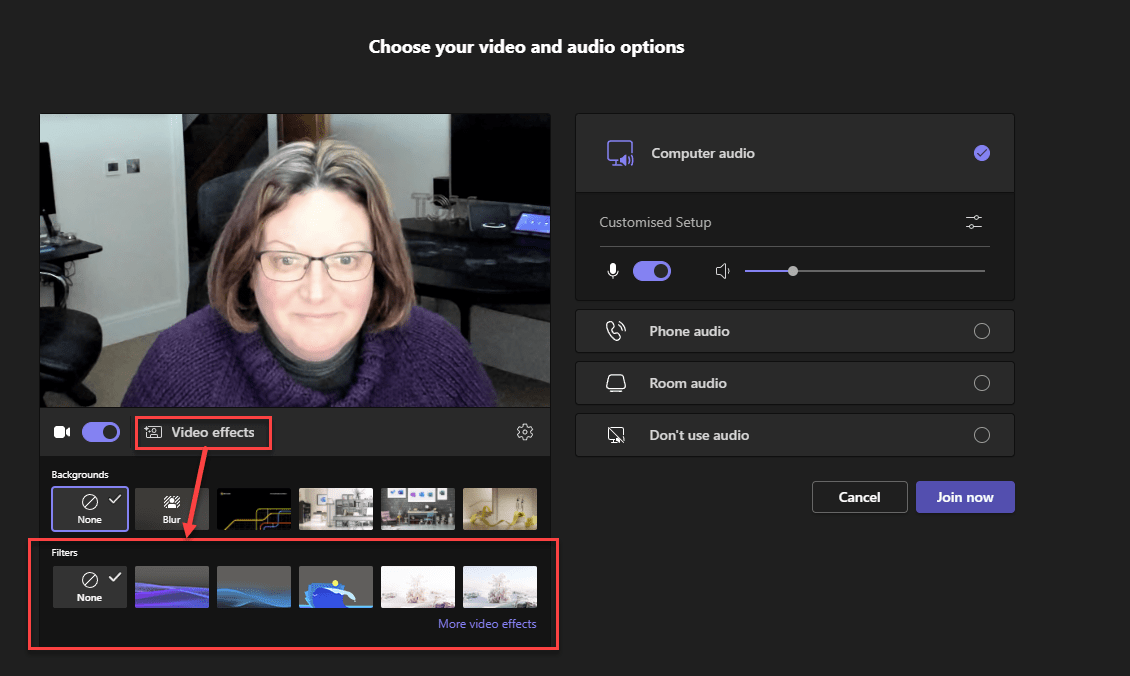
Custom Video filters are rolling out to Teams Public Preview ring at the time of writing. The Microsoft provided filters enable applying colour filters to your video feed such as Black and White And also applying a overlay Both work with virtual backgrounds and video, but will not support the upcoming Avatars. Whilst this featureContinue reading “Custom Video Filters”
Teams Premium End-to-End Meeting Encryption
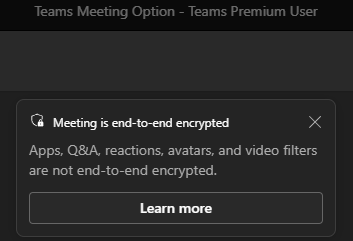
Included in Teams Premium end-to-end encryption for meetings provides an additional layer of security
Watermarking your Teams Meeting
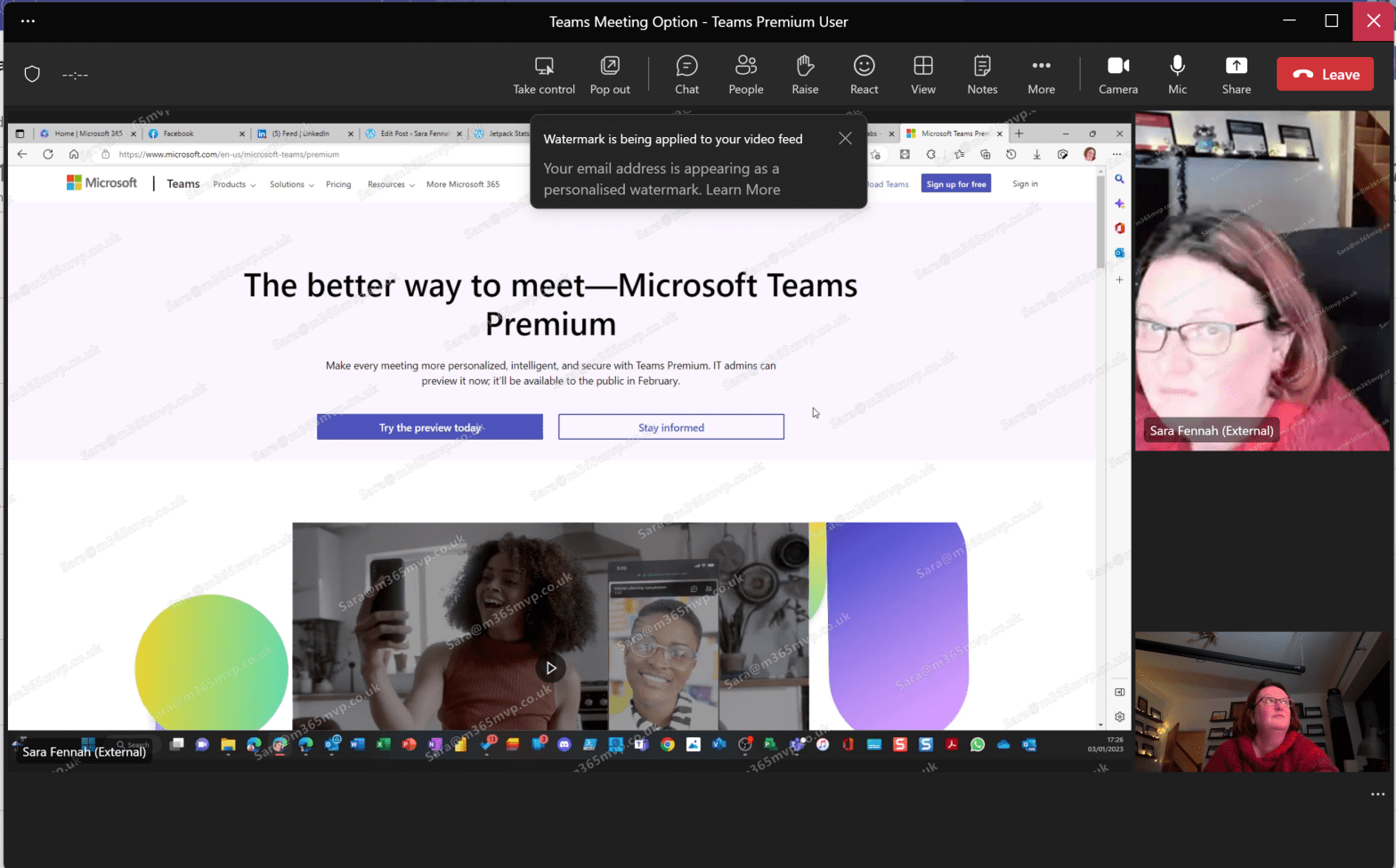
Watermarking is a Teams Premium feature intended to be used as a deterrent to stop attendees taking and sharing screenshot of meetings and people in the meeting by overlaying their email address onto the incoming video and shared content.
Setting Teams Meeting Options

With the launch of the preview of the Teams Premium add-on, many of the options require the user to use Meeting Options, yet many users do not routinely look at these and many are unaware of the features available. This article takes a look at where you can access meeting options.
 The Teams Queen Blog