
Microsoft Inspire is, to quote the website, Microsoft’s “largest partner event of the year that’s focused on the Microsoft Cloud, partner programs, and opportunities for you to grow your business in the year ahead.” Microsoft Inspire 2022 is running from 18th July 2022. Whilst not normally a conference for new feature announcements, Inspire sessions areContinue reading “Be Inspired About Microsoft Viva”
Category Archives: Super Users and Champions
Using Cameo in Microsoft Teams Meetings

Embed your Webcam into your slides within a Teams Meeting using PowerPoint Live.
Microsoft Teams Casting and Companion Mode
Do you take your laptop or mobile into a meeting in a Teams Meeting Room? If you do this blog is for you.
Meeting Recording Expiry Dates
You may have started to see meeting expiry recording notifications in Microsoft Teams. Before you panic, you it is simply letting you know that the expiry date is now being enforced. Meeting recording expiry is set by the meeting policy assigned to the user who recorded the meeting. The person who recorded the meeting andContinue reading “Meeting Recording Expiry Dates”
To Enable Shared Channels Between Two Organisations

Shared Channels are a channel within a Microsoft Teams Team. There are two stand out features which make this type of channel so eagerly anticipated People (and Teams) can be given access to just the channel, without needing to join the team Even channels hosted by another organisation are found in the list of TeamsContinue reading “To Enable Shared Channels Between Two Organisations”
Using a Teams Panel as a Personal Busy Light

Teams Panels are designed as meeting room companion devices to show when meeting rooms are booked
Comfy or Compact Teams Chat?
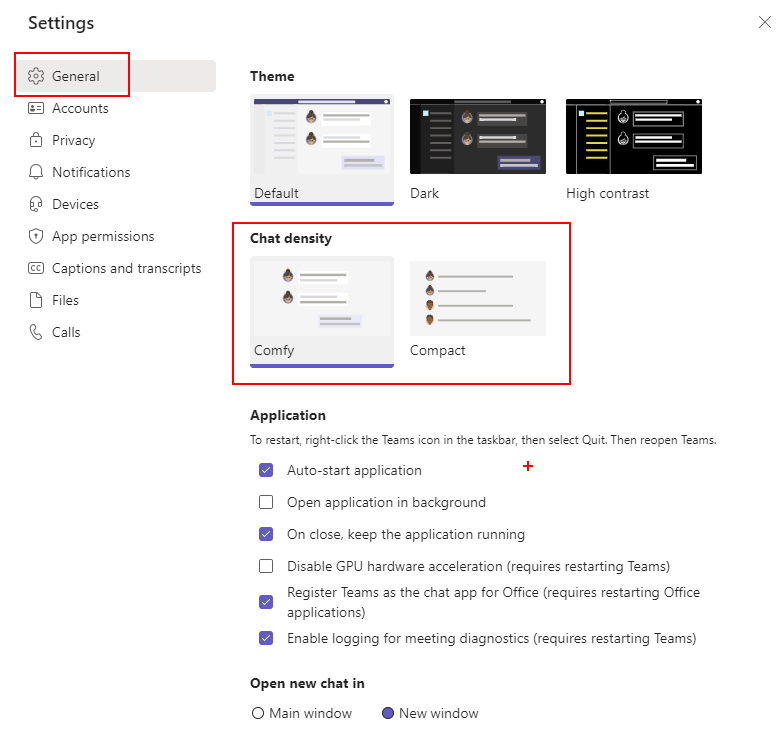
Get more chat on your screen with Team compact mode
Keeping your Focus in Meetings
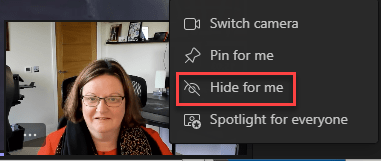
Distractions in virtual/hybrid meetings & training courses are a big pain point, so make the most of the video focus tools to help you get the most of your Microsoft Teams meetings and webinars.
Stop Drowning in Notifications

There is a new feature rolling out to Teams to allow you to mute most Teams notifications when you are in a meeting or on a call. You can either switch it on for all meetings on on a meeting by meeting basis. To mute for all meetings and calls go to Settings, choose NotificationsContinue reading “Stop Drowning in Notifications”
Cameras On!
As we approach 2 years of intensive virtual meetings, the debate about cameras on or cameras off still rages on. This is especially true with virtual training
 The Teams Queen Blog