
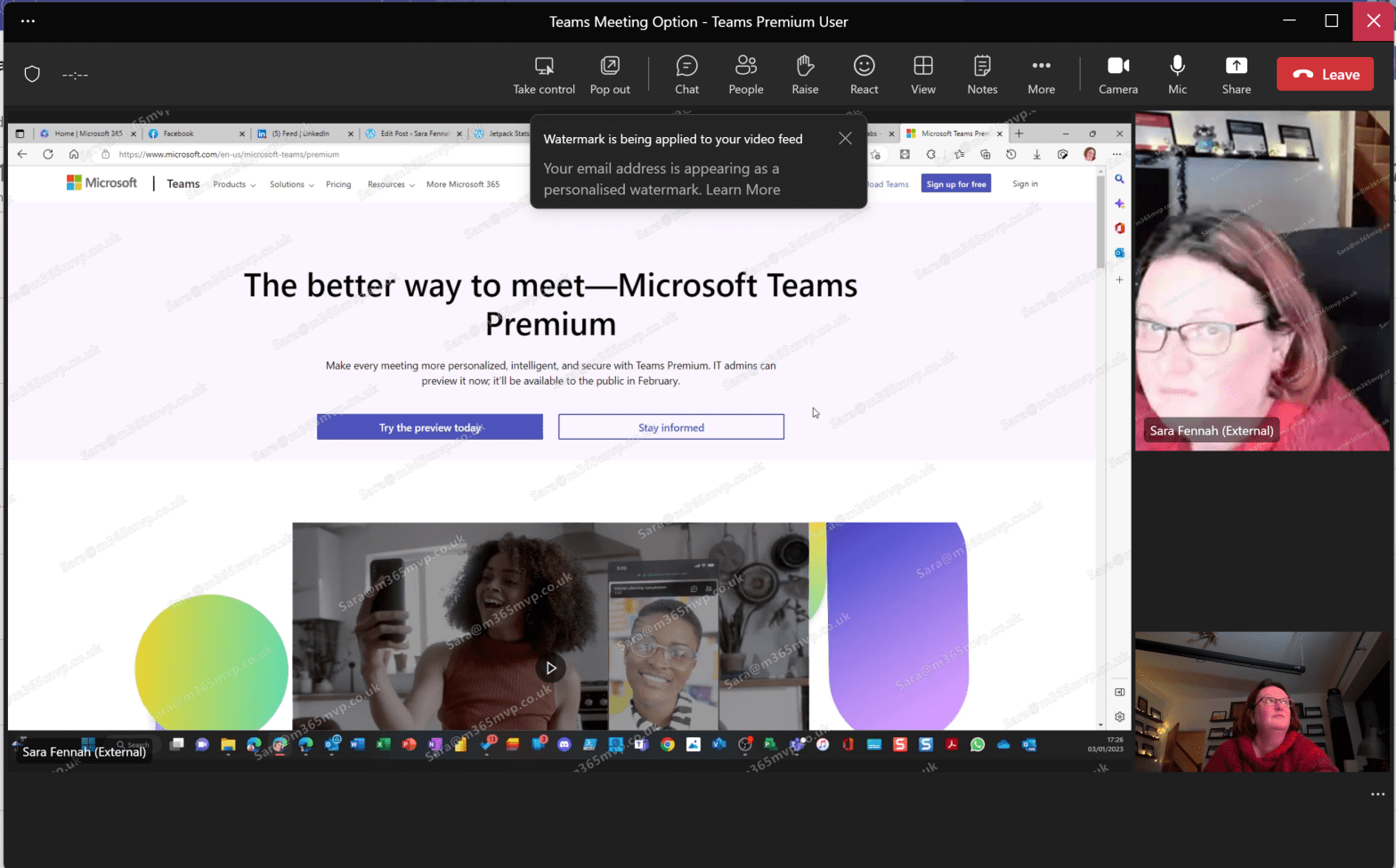
Watermarking is a Teams Premium feature intended to be used as a deterrent to stop attendees taking and sharing screenshot of meetings and people in the meeting by overlaying their email address onto the incoming video and shared content.
Category Archives: End User
Setting Teams Meeting Options

With the launch of the preview of the Teams Premium add-on, many of the options require the user to use Meeting Options, yet many users do not routinely look at these and many are unaware of the features available. This article takes a look at where you can access meeting options.
What is Microsoft Teams Premium and Who Needs it?
Not everyone will need Teams Premium, but most organisations will find that there people in the organisation who will benefit.
First Look at Microsoft Presenter+
The Microsoft Presenter+ is a presentation remote device and Microsoft Teams remote in one device. Whilst many presentation remotes do advance slides in Microsoft Teams meetings, including when presenting with PowerPoint Live inside Microsoft Teams, but you will still find yourself reaching for the mouse to mute or use the pointer on your slides. ThisContinue reading “First Look at Microsoft Presenter+”
Using Shared Channels within an Organization
Using a Microsoft Teams Shared Channel to support cross-team working within an organisation.
A Quick First Look at Loop in Outlook for Web
Brief first look at Loop components in Outlook for web.
Using Cameo in Microsoft Teams Meetings

Embed your Webcam into your slides within a Teams Meeting using PowerPoint Live.
Microsoft Teams Casting and Companion Mode
Do you take your laptop or mobile into a meeting in a Teams Meeting Room? If you do this blog is for you.
Meeting Recording Expiry Dates
You may have started to see meeting expiry recording notifications in Microsoft Teams. Before you panic, you it is simply letting you know that the expiry date is now being enforced. Meeting recording expiry is set by the meeting policy assigned to the user who recorded the meeting. The person who recorded the meeting andContinue reading “Meeting Recording Expiry Dates”
Praise and Praise History

To celebrate the 5th Birthday of Microsoft Teams on March 14th 2022, I’m publishing this article help you rediscover one of the early features of Teams. After all, a birthday is a great opportunity to send Praise!
 The Teams Queen Blog