
The Microsoft Presenter+ is a presentation remote device and Microsoft Teams remote in one device. Whilst many presentation remotes do advance slides in Microsoft Teams meetings, including when presenting with PowerPoint Live inside Microsoft Teams, but you will still find yourself reaching for the mouse to mute or use the pointer on your slides. ThisContinue reading “First Look at Microsoft Presenter+”
Author Archives: sfennah
It’s time to re-Ignite your Tech Enthusiasm
Sorry for the bad pun, but it is MS Ignite starting today. The Microsoft community tends to get quite excitable at this time with promises of new toys to play with. But this year Ignite is taking place all over the world at the same time with in-person “Spotlights” as well as the digital conference – a true example of hybrid.
Teams Room Licenses and Notifications in the Teams Admin Center
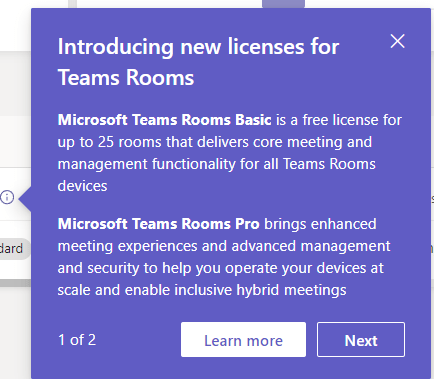
Notifications are now rolling out into the Teams Admin Center for Teams Administrators letting them know about the to Teams Room Licenses
Using Shared Channels within an Organization
Using a Microsoft Teams Shared Channel to support cross-team working within an organisation.
Comparing Teams Channel Types
Comparing the 3 types of Microsoft Teams channels
A Quick First Look at Loop in Outlook for Web
Brief first look at Loop components in Outlook for web.
Be Inspired About Microsoft Viva
Microsoft Inspire is, to quote the website, Microsoft’s “largest partner event of the year that’s focused on the Microsoft Cloud, partner programs, and opportunities for you to grow your business in the year ahead.” Microsoft Inspire 2022 is running from 18th July 2022. Whilst not normally a conference for new feature announcements, Inspire sessions areContinue reading “Be Inspired About Microsoft Viva”
Using Cameo in Microsoft Teams Meetings

Embed your Webcam into your slides within a Teams Meeting using PowerPoint Live.
Microsoft Teams Casting and Companion Mode
Do you take your laptop or mobile into a meeting in a Teams Meeting Room? If you do this blog is for you.
Meeting Recording Expiry Dates
You may have started to see meeting expiry recording notifications in Microsoft Teams. Before you panic, you it is simply letting you know that the expiry date is now being enforced. Meeting recording expiry is set by the meeting policy assigned to the user who recorded the meeting. The person who recorded the meeting andContinue reading “Meeting Recording Expiry Dates”
 The Teams Queen Blog